Thinking about buying a new streaming amplifier? Test the dusty USB port next to the mic jack first
Most older PA amps and home stereos have a rectangular USB port on the front that nobody has touched in years. Spend one minute testing it with a flash drive before spending hundreds on a new amp.
It is easy to look at an older living room stereo or shop PA amplifier, wish it could play online music from your phone, and start browsing online for a brand-new streaming receiver that costs several hundred dollars. Before you spend a cent, walk over and look closely at the front panel of the machine you already own. Right next to the round microphone jacks or the volume knob, there is almost always a rectangular USB port. Maybe someone plugged a thumb drive into it once for a family party years ago, and it has been gathering dust ever since.
Give that socket a one-minute test before shopping for new gear: grab an ordinary USB flash drive (make sure it is formatted as `FAT32` on a computer), drop one MP3 song onto it, plug it into the amp's USB port, and press the play button on the panel. If nothing happens right away, press the `MODE` or `INPUT` button next to it until the little screen switches to `USB`. The moment music comes out of your speakers, you know your old amp's digital audio path works just fine. Only if switching to `USB` still leaves a `FAT32` stick completely dead are you looking at a 5V charge-only port that cannot read music.
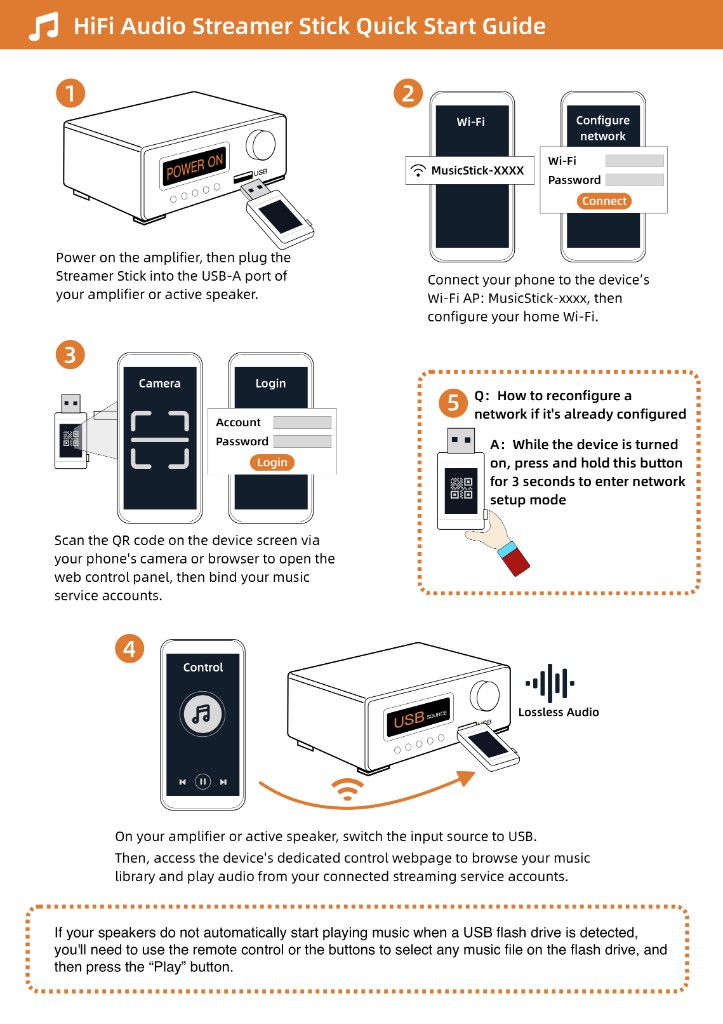
As long as that test MP3 plays, you can plug a Raywav Stick into the exact same USB socket and bring your old amplifier onto your home Wi-Fi in seconds. Open the web page on your phone to play your existing music subscriptions, podcasts, or songs stored on a memory card or home hard drive—without rewiring a single speaker cable or paying for a new amplifier.