Why does my speaker play MP3s from a USB stick, but FLAC files stay silent?
You copied lossless FLAC tracks onto a flash drive alongside regular MP3s, and the amplifier skips right over the FLAC songs. Your USB stick is not broken—the old decoder chip inside the amp only knows MP3.
It is an annoying surprise the first time it happens: you carefully download high-quality lossless `FLAC` albums on your computer, copy them onto a USB stick next to a few older `MP3` songs, and plug the stick into your living room amplifier or party speaker. The MP3 tracks play one after another without a hitch, but the moment the speaker hits a `FLAC` file, the track number on the little screen blinks and skips straight past it—or the counter ticks forward in complete silence. You pull the stick out, plug it back into your laptop, and every single `FLAC` file plays fine, making it look as if the flash drive is playing tricks on you.
Your USB stick is completely fine. If the speaker refused to read the entire drive at all, checking on a computer that the stick is formatted as `FAT32` and dropping two test MP3s onto it would sort that out. But when `MP3` songs play and `FLAC` songs stay silent on the exact same stick, you are hitting the limit of the small decoder chip built into your older speaker. Years ago, to keep costs down, manufacturers programmed those chips to decode `MP3` (and sometimes basic `WAV`) and nothing else—hand them a `FLAC` file and they simply have no idea how to unpack it, no matter how many times you reformat the drive.
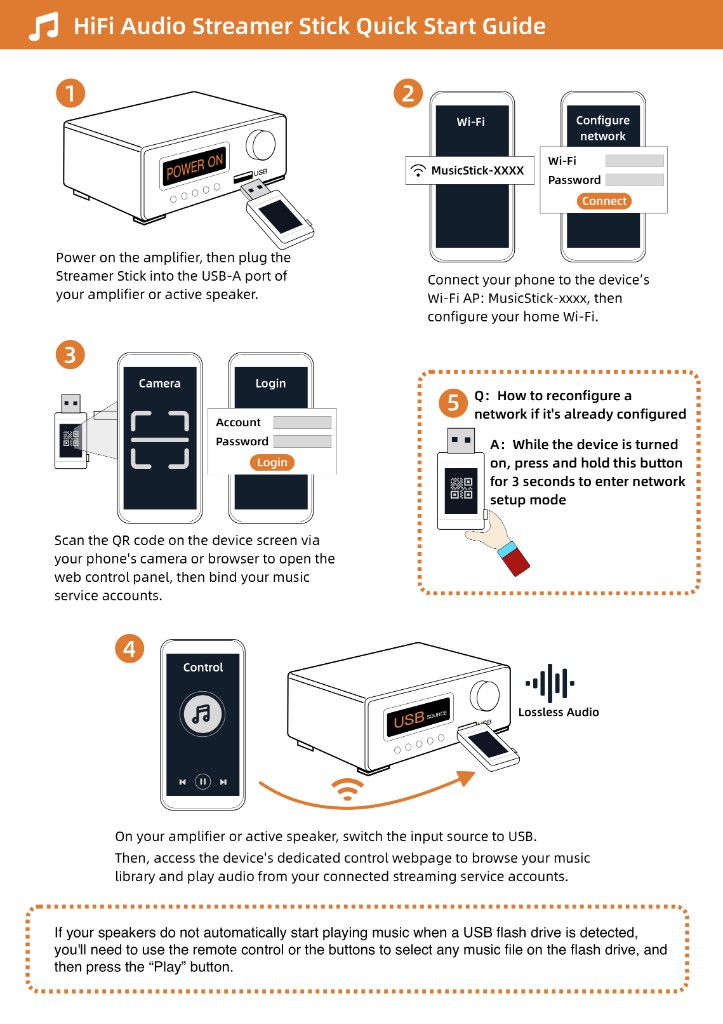
To play lossless albums on that speaker without opening the case or replacing the amp, check that its USB port plays a normal MP3 stick and plug a Raywav Stick into that socket. The stick itself knows how to decode `FLAC`, `WAV`, `MP3`, and `AAC`—whether the songs live on a `microSD` card in the stick, on a home `NAS` hard drive, or inside your streaming subscription—and hands ready-to-play audio straight into the amplifier so your old stereo can play every lossless track you own.