We play JioSaavn from a phone at the shop — how do we stop the music from cutting out when staff use the phone?
You pay for a music subscription for the shop, but every time someone grabs the counter phone to photograph an order or reply to a customer, the room goes quiet. Sign in on the speaker's USB port instead.
In plenty of restaurants, cafés, and small shops, the owner pays for a monthly JioSaavn, Kugou, or Yandex Music subscription and leaves a work phone on the counter connected to the speaker for background music. The trouble is that a shop work phone never sits still for long: one minute a staff member grabs it to snap a photo of a delivery receipt for a driver, the next minute someone carries it to the door to scan a code or reply to a customer message. Every time that phone leaves the counter or opens another app with sound, the music in the dining room cuts right out—sometimes a dozen times in a single shift.
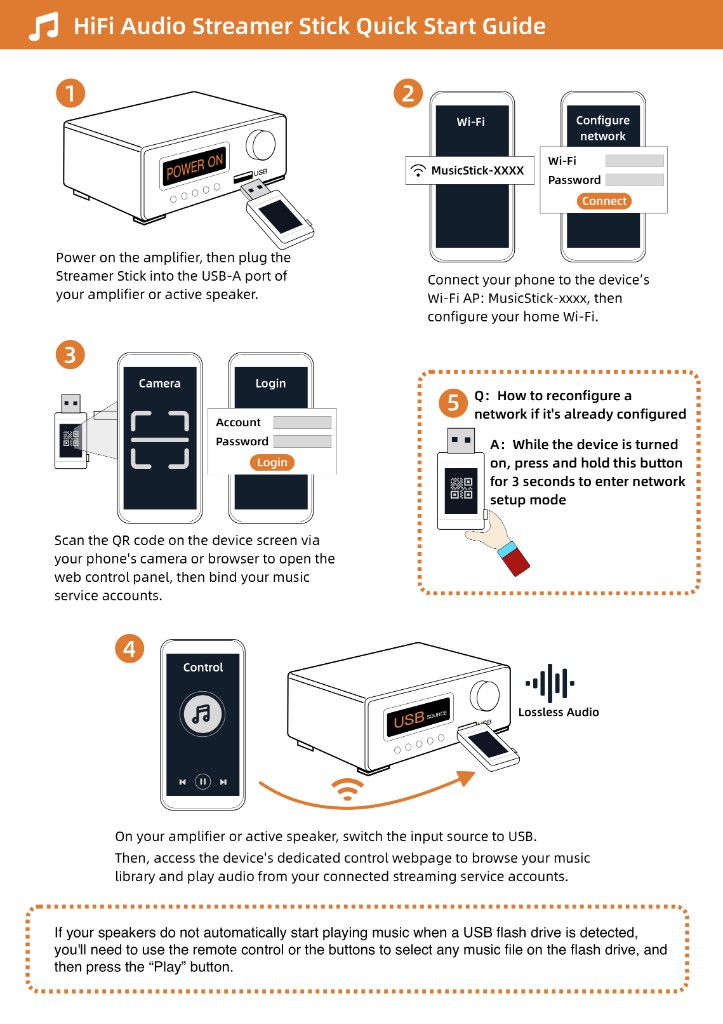
As long as your shop speaker or amplifier has a USB port that can play an MP3 flash drive, you can stop making the counter phone do double duty. Plug a Raywav Stick into the speaker's USB socket; it runs off the speaker's own power. Open the web page on a phone, sign straight into the JioSaavn account you already pay for, and start your playlist—no need to buy a second subscription. Once the music starts, staff can take the work phone to the kitchen, snap photos, or answer messages all day while the speaker streams over the shop Wi-Fi on its own.
The exact same setup works for regional services like Kugou, Yandex Music, or Zvuk—you simply log into the account you already use at home. Keep one honest limitation in mind: the stick logs into your existing account over your local internet connection, so if a music service is not available in your country to begin with, plugging in the stick will not unlock a catalog that is blocked in your region.