A radio station plays in my computer browser — how do I get that stream onto my home stereo?
The station's website plays with one click on a laptop, but you do not want to leave a computer running all day. Here is how to grab the .m3u8 or .pls link and play it straight from your amp.
Maybe you have a favorite hometown talk station or a small independent music station overseas. When you open the broadcaster's website on your laptop and click the little play button, it starts right up—but nobody wants to leave a computer humming on the desk all day just to hear the radio in the living room. You try right-clicking around the web page to move the stream to your stereo, only to find there is no obvious audio address to copy.
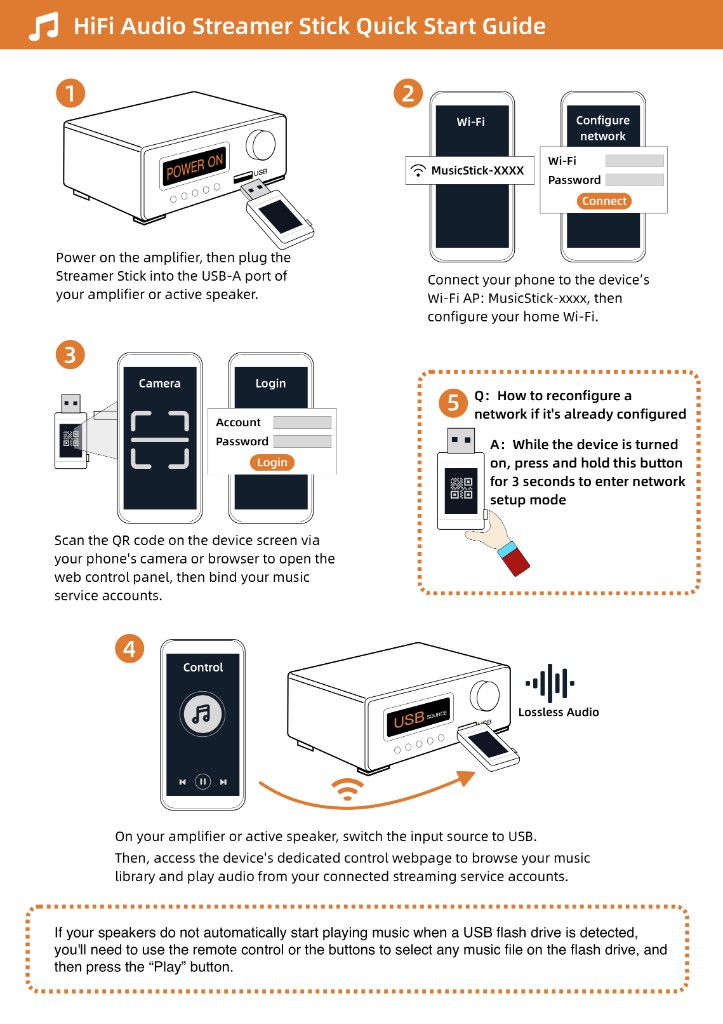
Behind almost every web player sits a direct live stream link. Look around the corners of the station's website for links labeled "Listen in external player," "Other ways to listen," or "Stream URLs," and see if they offer a link ending in `.m3u8` or `.pls`. Once you copy that address, plug a Raywav Stick into your amplifier's USB port, open its web page on your phone, and paste the address in as a custom station. From then on, your stereo can connect straight to that stream anytime without touching the laptop.
If the station's website hides the stream behind a locked-down player with no link in sight, open internet radio first and search for the station by name—most public broadcasters are already listed there and start with a single tap. It also pays to jot down one or two backup station names on a slip of paper by the amp, so if a small station's server goes offline for maintenance one afternoon, you can switch to another broadcast in seconds.