My speaker plays microSD cards, but I can only mash the Next button — how do I pick songs by name?
When a memory card holds hundreds of tracks and the speaker only has a four-digit screen, finding one song means pressing Next fifty times. Use your phone browser to tap the exact track title instead.
Plenty of portable boomboxes, radios for older relatives, shop amplifiers, and wheeled dance speakers come with a tiny slot for a `microSD` (TF) memory card. You load a few hundred songs onto the card, slide it in, and the speaker starts playing from track `001` in order. That is fine when you just want random background noise, but the moment someone says, "Put on that specific dance track," you are stuck staring at a tiny display that only shows numbers instead of song titles, mashing the Next button forty times in a row—and if you accidentally click past it, you have to cycle all the way around again.
If you slide a memory card into your speaker and nothing plays at all, do not rush out to buy a new card yet. Plug the card into a computer, format it as `FAT32`, drop a single working MP3 onto it, and press the `MODE` button on the speaker to make sure it is switched to card mode. On many older speakers, the tiny spring contacts inside the card slot eventually rust or lose their grip, while the full-size rectangular USB port right next to it still works like new.
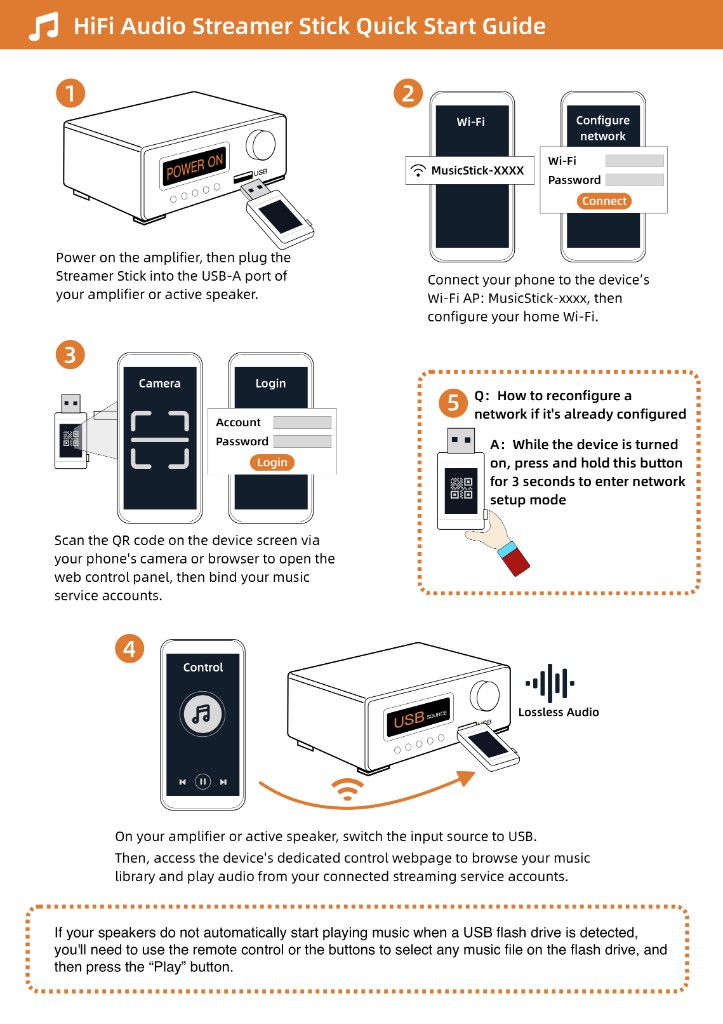
As long as that USB port can still play a flash drive, you can slide your `microSD` card into a Raywav Stick and plug the stick into the speaker's USB socket. Open the web page on your phone and every song and folder on the card shows up in a clean list with its real title—tap the exact song you want, or queue up five tracks in order for the afternoon. Once they are playing, the physical play and pause buttons on the speaker panel still work whenever you walk past.