I listen to radio on TuneIn on my phone — how do I move it to my amplifier without tying up the phone?
Opening TuneIn or vTuner on a phone is great with headphones, but running it all afternoon in a shop or living room locks up your phone. Let the amp's USB port play the station itself.
Plenty of people use TuneIn, vTuner, RadioPlayer, radio.de, or 101.ru on their phones every day to listen to stations from around the world. That works fine with headphones on the commute, but the moment you try to use your phone to run background radio for a whole afternoon in a shop, office, or living room, it becomes a nuisance: for hours on end, that phone is chained to the speaker. You cannot walk out of range to take a call, you cannot open a voice message without interrupting the room, and half the time the phone's battery saver kills the app after the screen has been dark for a while.
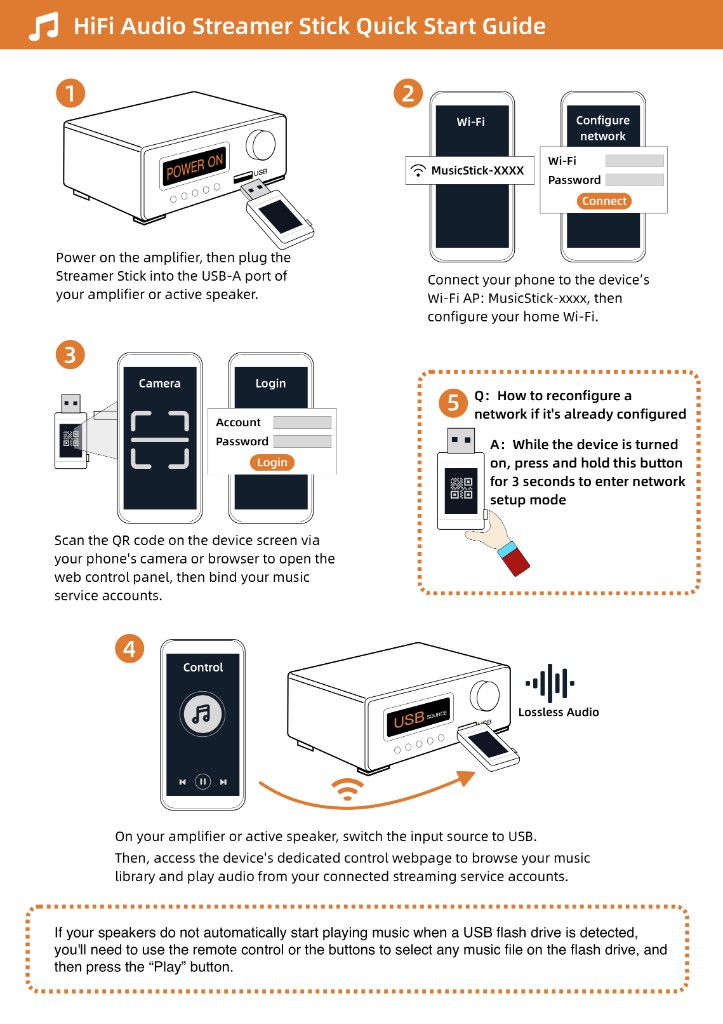
As long as your amplifier or speaker has a USB port that can play an MP3 flash drive, you can hand the job over to the amp itself. Plug the Raywav Stick into that USB socket, connect it to the room's Wi-Fi, and pick your station from the web page on your phone. If you do not have a raw stream URL in your pocket, just open internet radio and search for the station right there; if you already saved a direct `.m3u8` or `.pls` broadcast link from a computer browser, you can paste it straight in as a custom station.
While you are at it, stick a small note next to the amp with one or two backup station names. When a radio app suddenly stops playing mid-afternoon, it is often just that single station's server going down for maintenance rather than your Wi-Fi failing—switching to your backup station gets the room playing again in seconds.