I just bought a fast Wi-Fi 6 router — why does my living room speaker still play more reliably on 2.4 GHz?
The router box promises blazing Wi-Fi 6 speeds, yet the amp in the next room or inside the cabinet still buffers. Here is why plain old 2.4 GHz keeps music playing without dropouts.
You spend good money upgrading your home or shop to a new Wi-Fi 6 (or Wi-Fi 6E) gigabit router, and the box promises wall-to-wall speed. Standing next to the router with your phone, the speed test numbers look huge—yet the moment you walk into the next room where the stereo sits, or shut the amplifier inside a media console or under a metal shop counter, the music still pauses and buffers. It is easy to wonder how a brand-new router can struggle with a simple song.
The reason comes down to how the two radio bands behave around obstacles. `5 GHz` (and the newer `6 GHz`) is like a sprinter: super fast in an open room, but a brick wall, a thick wooden cabinet door, or a commercial fridge in a café knocks the signal down hard. Good old `2.4 GHz` shows a lower top speed on paper, but it bends around corners and pushes through cabinet doors far better. Streaming a lossless track or an internet radio station takes a tiny fraction of your bandwidth anyway—what ruins a song is a signal that drops for two seconds, not a lack of gigabit speed.
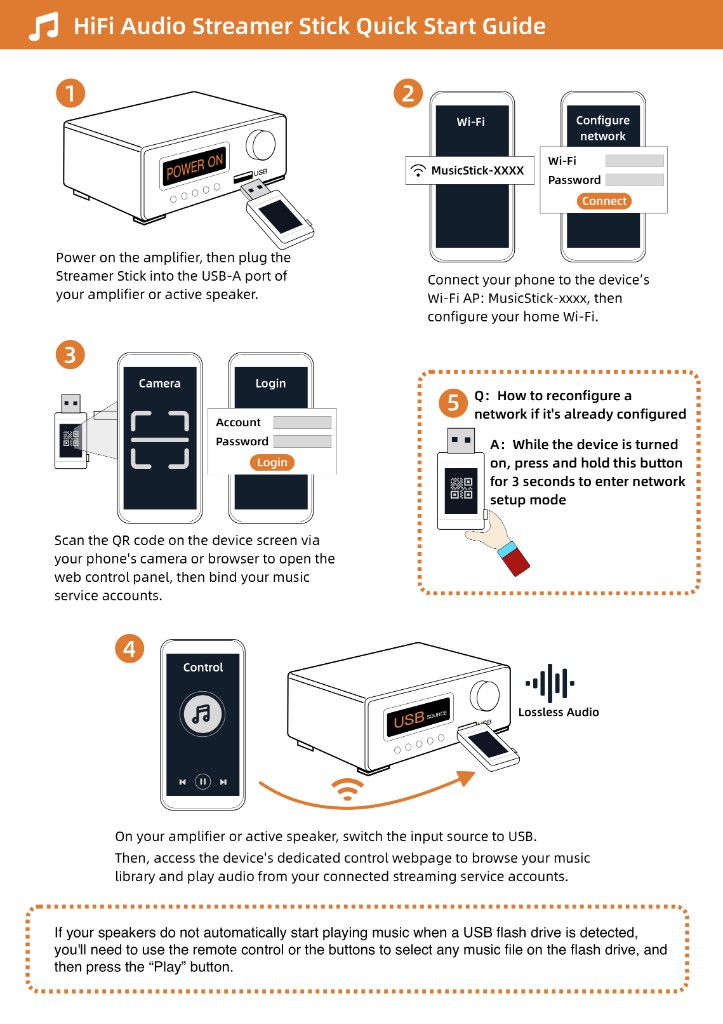
That is why the Raywav Stick connects exclusively on `2.4 GHz` Wi-Fi. No matter how fancy the router on the wall is, the stick locks onto the band that actually makes it through walls. If your phone shows full bars in the doorway while the amp inside the cabinet still stutters now and then, pull the stick slightly forward so it is not pressed flat against a metal panel, and test a second station on internet radio to make sure it is not just one broadcaster stalling. Nine times out of ten, moving the stick a few inches beats changing router settings.