Playing internet radio at a shop or event? Why you should write two station names next to the amp
Before guests arrive, test one news station and one music station and write both on a slip of paper. If a stream stalls mid-afternoon, it beats scrolling through hundreds of links on your phone.
When you have customers in the shop, friends out in the yard, or a hall full of people for an event, nothing feels more awkward than the radio stream suddenly cutting out mid-afternoon. Everyone in the room looks up at you while you pull out your phone, sweating, and scroll blindly through a list of several hundred radio stations you have never clicked before—only to tap one that turns out to be offline too.
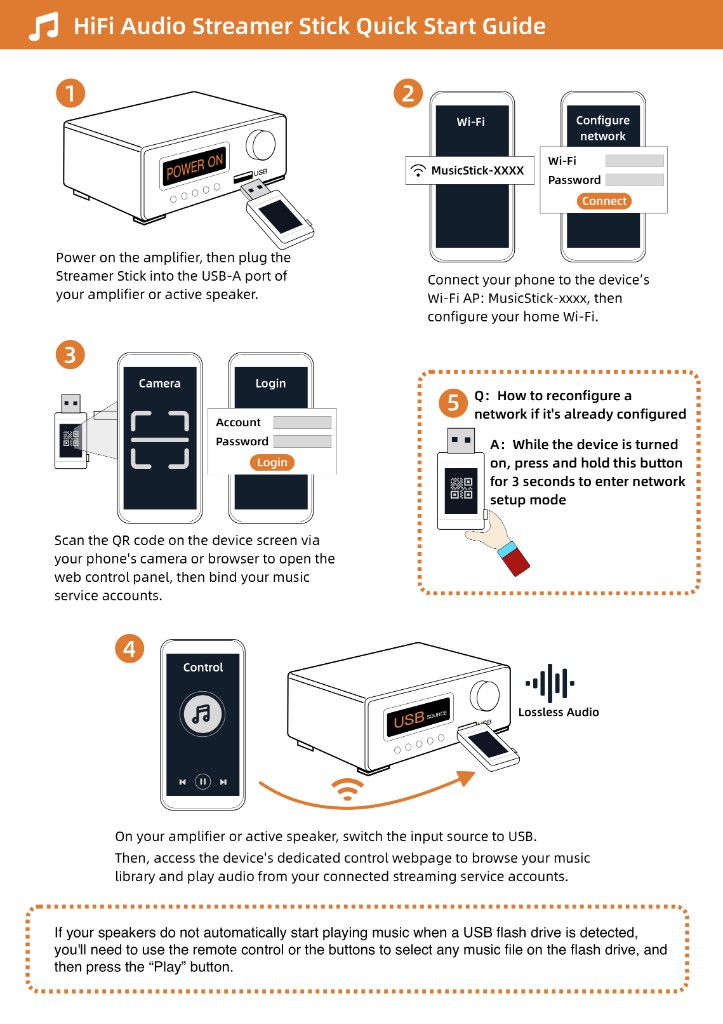
The simplest fix takes five minutes before you unlock the door or let guests in. Open internet radio, pick one news station you like and one music station, and tap each one so you actually hear it play through the speakers for a minute. Once you know both work, take a pen, write their exact names on a piece of tape or a sticky note, and stick it right on the side of the amplifier. If you have your own `.m3u8` or `.pls` stream links saved, paste those into the Raywav Stick web page ahead of time too.
That way, if a broadcaster's server hiccups in the middle of a busy afternoon, you walk over to the amp, glance at the note, and switch to your tested backup station in ten seconds flat. Keep an old flash drive with a dozen MP3s in a drawer nearby as well—if the whole street loses internet one day, you can swap the stick for the flash drive and keep music in the room.